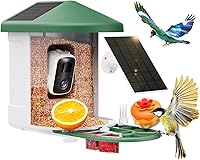
6 Best Bird Feeder Cameras for Gifts (October 2026)
The best bird feeder cameras for gifts include the Bird Buddy Pro Solar Smart Bird Feeder for sharing with relatives, the NETVUE Birdfy Feeder 1 2K AI Camera for everyday backyard viewing, and the NETVUE Birdfy 2K AI Camera Feeder for first-time feeder keepers.
On this page (7 sections)
- How we chose bird feeder cameras for gifts
- Which bird feeder camera gifts fit different bird lovers?
- What matters when choosing a bird feeder camera gift?
- How should you prepare a camera feeder before giving it?
- How much care will the gift recipient need to do?
- Which gift mistakes should you avoid?
- Which bird feeder camera gift should you choose?
The best bird feeder camera gift overall is the Bird Buddy Pro Solar Smart Bird Feeder for guided setup and shared family birdwatching. Choose Birdfy 60FPS for a wood feeder with lifetime free AI identification, or Humbirdy for local storage without subscription fees.
The right gift fits the recipient's daily routine as well as their yard. A keen birder may want identification tools, while someone who enjoys a quiet morning outdoors may care more about simple viewing and easy care.
For a broader look at feeder types, start with our guide to the best bird feeder cameras. If recurring costs would be unwelcome, compare bird feeder cameras with no subscription before choosing.
Our picks at a glance
-
1
 Best for sharing with relatives
Bird Buddy Pro Solar Smart Bird Feeder
8.6/10 our score
See it on Amazon -
2
 Best for everyday backyard viewing
NETVUE Birdfy Feeder 1 2K AI Camera
8.4/10 our score
See it on Amazon -
3
 Best for first-time feeder keepers
NETVUE Birdfy 2K AI Camera Feeder
8.3/10 our score
See it on Amazon
- 4
 Check it
Birdfy 60FPS Solar Smart Bird Feeder
Best for watching wing movements - 5
 Check it
Humbirdy 4K Smart Bird Feeder with Camera
Best for avoiding monthly fees - 6
 Check it
Kiwibit 2 Mini Solar Bird Feeder
Best for smaller outdoor spaces
How we chose bird feeder cameras for gifts
We compared setup needs, sharing, storage, power and app costs because these determine how useful a camera feeder will be after it is unwrapped. Camera features matter, but they cannot fix a poor mounting spot or an unwanted subscription.
A good gift also needs a clear handover. We favor choices you can explain plainly: what works for free, what needs charging and how the recipient can save a favorite visit.
The products below stay in score order, but the highest-scoring choice is not right for every household. Use each recommendation's buyer fit and skip advice to narrow the choice before comparing finer details.
| Product | Best for | Camera | Power | Mounting | Our score |
|---|---|---|---|---|---|
| Bird Buddy Pro Solar Smart Bird Feeder | sharing with relatives | 2K video, 5MP photos | USB-C rechargeable battery or solar panel | Hanger and universal mount included | 8.6 |
| NETVUE Birdfy Feeder 1 2K AI Camera | everyday backyard viewing | 2K video | Battery and solar powered | 8.4 | |
| NETVUE Birdfy 2K AI Camera Feeder | first-time feeder keepers | 2K video, 155° view | Rechargeable battery | Wall, pole and tree mounting tools included | 8.3 |
| Birdfy 60FPS Solar Smart Bird Feeder | watching wing movements | 1080P video, 60FPS high-frame-rate capture | 5200mAh battery with built-in solar panel | 8.2 | |
| Humbirdy 4K Smart Bird Feeder with Camera | avoiding monthly fees | 4K live view at 30FPS, 8MP photos | 3W solar panel | 8.0 | |
| Kiwibit 2 Mini Solar Bird Feeder | smaller outdoor spaces | 4K video, 8MP photos | Rechargeable battery with solar support | 7.3 |
Which bird feeder camera gifts fit different bird lovers?
Choose by the recipient's main interest: shared viewing, everyday clips, learning bird names or replaying fast movement. Each feeder below has a distinct reason to buy it and a situation where another choice makes more sense.
Bird Buddy Pro Solar Smart Bird Feeder: Best for sharing with relatives
- 2K video and 5MP photos
- Solar roof and rechargeable battery
- Invite up to 10 people to the feeder
- 2.4 GHz Wi-Fi required
Bird Buddy suits a family gift with guided setup and shared viewing. Core species ID is free, while advanced app features require Premium.
Pros
- Solar roof included
- App guidance for pairing and placement
- Up to 10 invited viewers
Cons
- Advanced app features require Premium
- Pole and wall mount are not included
Bird Buddy is the strongest match for a gift that brings relatives into the same birdwatching routine. It allows up to 10 invited people, so family members can follow the feeder without relying only on clips sent in a group chat.
The camera captures 2K video and 5MP photos with HDR. Its solar roof supplements the rechargeable battery, while the app guides account setup, pairing and placement.
A hanger and universal pole mount are included, but the pole itself is not. If the recipient wants a wall installation, arrange the separate wall mount rather than assuming the box covers that plan.
Core features include bird postcards, livestreaming, species ID and sharing. Premium adds advanced features, so explain that difference before presenting the gift as a full AI birdwatching package.
Skip this if advanced features without recurring costs are essential. Birdfy 60FPS or Humbirdy better fits that brief; read Bird Buddy Premium vs Free if the recipient's interest centers on the app.
NETVUE Birdfy Feeder 1 2K AI Camera: Best for everyday backyard viewing
- 2K camera
- Solar panel and 5200mAh battery
- 30-day video history and 5GB free cloud storage
- AI recognition requires a subscription
Choose this solar-assisted feeder for someone who wants automatic clips and recent video history without paying for AI identification.
Pros
- Solar-assisted power
- Free recording and live viewing
- Can share access with 20+ people
Cons
- AI recognition requires a subscription
- Requires 2.4 GHz Wi-Fi
The NETVUE Birdfy Feeder 1 suits someone who mainly wants to see which birds stopped by during the day. It combines solar-assisted power with free recording and viewing, making paid identification an optional extra rather than the reason to use it.
Its 2K camera includes color night vision, and the feeder holds 1.5 liters of seed. A 5200mAh battery works with the solar panel, though the recipient should still plan for charging access.
The app provides a rolling 30-day video history and 5GB of free cloud storage for favorites. It also supports downloads and shared access for 20+ people, which helps a larger family enjoy one feeder.
Choose this for someone who would happily watch feeding behavior without an automatic bird name attached to every clip. An existing interest in identifying birds by shape, color and calls makes the free features especially useful.
Skip it if automatic identification must be free. Also avoid promising a fixed charging interval, since shade, weather and camera use affect how often outdoor cameras need attention.
NETVUE Birdfy 2K AI Camera Feeder: Best for first-time feeder keepers
- 2K camera with 155° view
- Wall, pole and tree mounting tools included
- 30-day video history and 5GB free cloud storage
- Adjustable motion detection sensitivity
Included mounting tools and adjustable motion detection give a beginner useful setup choices. Free viewing and sharing work without the paid AI recognition feature.
Pros
- Several mounting options
- Free clip history and cloud storage
- Can share access with 20+ people
Cons
- AI recognition requires a subscription
- This version is battery powered without included solar support
The battery-powered NETVUE Birdfy is a useful first feeder for someone who wants a choice of mounting locations. Wall, pole and tree mounting tools are included, so you can plan around the yard instead of starting with one fixed installation style.
Its 2K camera has a 155° view and records 20-second motion-triggered clips. Adjustable detection sensitivity gives the recipient a way to reduce unwanted triggers from movement near the feeder.
Free features include alerts, live viewing, a rolling 30-day history and 5GB of cloud storage. Access for 20+ people also makes this a practical choice when several households want to follow the same backyard birds.
This version uses a rechargeable battery without included solar support. Choose it when the planned spot is easy to reach and the recipient is comfortable adding charging to the care routine.
Skip it for a hard-to-reach installation where taking the camera down would be awkward. Its AI recognition also needs a subscription, so choose another model if learning names without a paid plan is central to the gift.
Birdfy 60FPS Solar Smart Bird Feeder: Best for watching wing movements
- 60FPS high-frame-rate capture
- Built-in solar panel
- Lifetime free AI bird identification
- Fir wood body with side-view camera
Choose Birdfy 60FPS for someone who enjoys replaying takeoffs and prefers a wood feeder. Lifetime free AI identification avoids a recurring charge for that feature.
Pros
- Lifetime free AI bird identification
- Solar-assisted charging
- Tool-free cleaning
Cons
- Lower video resolution than the 2K and 4K choices
- Needs a 2.4 GHz Wi-Fi connection
Birdfy 60FPS fits a recipient who enjoys the movement of birds as much as identifying them. High-frame-rate capture records at 60FPS for slowing down wing flaps and takeoffs afterward.
The side-mounted camera provides a close-up 1080P view. Its FSC-certified fir wood body has a different look from the plastic feeders here, making appearance a sensible part of the choice for a visible garden spot.
Lifetime free AI identification is the key gift advantage for someone who wants help learning bird names. Free cloud storage keeps videos for 30 days, giving the recipient time to revisit and download favorites.
A built-in solar panel supports the 5200mAh battery, and the feeder opens for tool-free cleaning. That access matters because routine care should be easy enough to keep doing after the excitement of the first clips fades.
Skip this if higher resolution is the main goal. Choose it for motion playback, wood styling and included identification rather than expecting the same image dimensions as the 2K or 4K choices.
Humbirdy 4K Smart Bird Feeder with Camera: Best for avoiding monthly fees
- 4K live view at 30FPS
- 32GB built-in local storage
- Free AI bird identification
- Solar panel and dual-band Wi-Fi
Humbirdy pairs local storage with subscription-free viewing and AI identification. Its close-range portrait framing suits birds at the feeder rather than a broad yard view.
Pros
- No subscription fees
- Built-in local storage
- Works with 2.4 GHz and 5 GHz Wi-Fi
Cons
- Portrait framing will not suit every viewer
- Saved clips still need downloading and organizing
Humbirdy is the clearest fit for a recipient who dislikes ongoing app charges. It includes 32GB of local storage and subscription-free live viewing, AI identification, saving and sharing.
The camera offers 4K live view at 30FPS and 8MP HDR photos. A separate 1080P mode records at 120FPS for slow-motion editing, so maximum resolution and maximum frame rate serve different purposes.
Its portrait-oriented camera concentrates on birds close to the feeding area. Choose that framing for someone who wants a tall, close view of the visitor rather than a wide picture of the garden.
The metal feeder has a removable camera, and a 3W solar panel supports charging. Dual-band connectivity gives it another useful distinction: it works with both 2.4 GHz and 5 GHz Wi-Fi.
Skip it if the recipient specifically wants broad landscape framing. Local storage also suits someone willing to download and organize favorite clips; included memory is useful, but it does not create a permanent, unlimited archive.
Kiwibit 2 Mini Solar Bird Feeder: Best for smaller outdoor spaces
- 4K video and 8MP photos
- Built-in solar roof
- 1L removable seed container
- AI features require a Premium subscription
Kiwibit suits a smaller feeder setup where a removable camera and seed container help with care. Plan for a separate memory card if local recording is part of the gift.
Pros
- Compact body
- Integrated solar roof
- Removable camera module
Cons
- AI requires Premium after the trial
- MicroSD card for local storage is not included
Kiwibit 2 Mini suits a recipient with a smaller outdoor setup who wants a compact feeder body. It measures 7 x 5.4 x 8.2 in, with a removable camera module and a removable 1L seed container.
The camera provides 4K video, 8MP photos, HDR imaging and a 132° view. Infrared night vision supports viewing after dark, while an integrated solar roof supplements the rechargeable battery.
Wall, pole and fence placement are options using suitable included hardware. Check the actual surface and available room before choosing it for a narrow area, since the feeder still needs safe access for refilling.
Local storage accepts a MicroSD card up to 512GB, but the card is separate. If saved footage is part of your gift plan, include a compatible card rather than leaving that task to the recipient.
Skip it if free automatic identification is essential. FeatherPal AI requires Kiwibit Premium after the 30-day trial, making this a better fit for someone who accepts that ongoing choice or mainly wants live viewing.
What matters when choosing a bird feeder camera gift?
Check the yard and the recipient's routine before comparing resolution. A feeder they can connect, reach and maintain will be more useful than one chosen only for its sharpest video mode.
Will the bird feeder camera gift need paid AI features?
Separate basic viewing from automatic identification and advanced app tools. A feeder can remain useful without a paid plan, but that depends on which feature made the recipient want one.
Bird Buddy includes core species ID while reserving advanced features for Premium. Both NETVUE models charge for AI recognition, and Kiwibit charges for FeatherPal AI after its trial.
Birdfy 60FPS includes lifetime free AI identification, and Humbirdy provides identification without monthly fees. These are simpler gifts when the recipient wants bird names but does not want another subscription.
If you plan to pay for a subscription yourself, agree on who manages renewal and what happens when it ends. Compare Bird Buddy's Premium and free features and Birdfy's subscription requirements before making that promise.
Does the recipient have the right Wi-Fi?
Check both the supported band and the signal at the feeder's planned position. A strong indoor connection does not prove that the same network reaches a fence or tree.
Bird Buddy, both NETVUE models, Birdfy 60FPS and Kiwibit use 2.4 GHz Wi-Fi. Humbirdy supports both 2.4 GHz and 5 GHz.
A phone can help you spot weak outdoor coverage, though the feeder still needs its own connection check. Try the intended location before fixing brackets in place, and move closer to the house if the connection is unreliable.
Avoid promising that 5 GHz will solve an outdoor signal problem. Walls, distance and placement still matter; our bird feeder camera setup guide explains how to plan the connection.
Is solar power a good fit for the yard?
Solar charging helps most when the panel receives useful daylight. It supplements the battery rather than removing the need to think about charging.
Every option here except the battery-powered NETVUE version includes solar support. A shaded garden may still suit a camera feeder, but the recipient should expect more manual charging.
Look at the proposed spot at different times of day, and consider seasonal shade from nearby trees. Keep charging access practical instead of placing the feeder high up just to reach more sun.
If the garden offers several possible positions, use our solar bird feeder camera guide to compare power arrangements. Balance light with a reliable connection and safe access.
Will the recipient want shared access or just saved clips?
Shared access suits relatives who want to watch independently; downloaded clips suit occasional sharing. Decide which experience you are giving before focusing on guest limits.
For a family spread across several homes, invitations can make the feeder a shared activity. For a recipient who values a quiet hobby, sending a favorite clip now and then may be enough.
Let the recipient control invitations and account access. Sharing bird visits should feel like a benefit of the gift, with the camera aimed at the feeder rather than neighboring windows or private areas.
Do resolution and slow motion serve the same purpose?
Resolution helps show fine detail, while higher frame rates capture more steps in fast movement. A recipient who wants feather portraits may choose differently from someone who enjoys slowing down a takeoff.
Compare the specific mode the recipient will use. A camera's highest frame rate may operate at a lower resolution than its main live view, as Humbirdy's separate modes show.
Framing also matters. A close portrait view can fill the screen with a feeding bird, while a wider view includes more of the perch and surroundings.
Do not make the gift decision from the biggest camera number alone. Match the view and recording mode to what the recipient actually likes watching.
How should you prepare a camera feeder before giving it?
Plan the installation, then leave account ownership with the recipient. A short setup visit can add more value than an extra feature they may never use.
Confirm a safe mounting plan
Choose a location the recipient can reach for refilling, cleaning and charging. Avoid a setup that needs a ladder for every care task, especially when giving the feeder to someone with limited mobility.
Check mounting permission before planning holes in a wall or fence. Included hardware does not mean every surface is suitable, and a pole mount does not necessarily include the pole.
Allow room to remove the camera and open the seed container. Our guide to hanging or mounting a smart bird feeder can help you work through those practical choices.
Pair before making the installation permanent
Charge the camera according to its instructions, then have the recipient create the account on their own device. Keep their login and recovery details under their control.
Connect the feeder and check live viewing near the planned location before fastening it in place. Confirm that the frame shows the feeding area and that app notifications arrive.
Adjust one thing at a time if the view or connection needs work. Moving the feeder, changing the camera angle and altering alerts together makes it harder to know what helped.
Give the first birds time to arrive
A working camera does not guarantee immediate visitors. Birds may need time to discover a new feeding spot, particularly if the yard has not had a feeder before.
Choose fresh food suited to the local birds and the feeder's instructions. A seed feeder is not a nectar feeder simply because its camera could record a hummingbird nearby.
Check the app and food condition during the first few days without repeatedly moving the feeder. Once visits begin, adjust notification settings around the recipient's interest and routine.
How much care will the gift recipient need to do?
Every camera feeder needs fresh food, regular cleaning and battery checks. Solar support and automatic recording reduce some tasks, but someone still has to care for the feeding area.
Keep seed dry and the feeding area clean
Start with a modest amount of seed while learning how quickly birds use it. A large hopper is useful capacity, not a reason to keep old food in place.
Check for wet clumps, mold and droppings, especially after rain. Remove spoiled food promptly, and clean the feeder more often when weather or heavy use makes it dirty.
Follow the feeder's cleaning instructions and let washable parts dry before refilling. Keep the camera and charging connections protected from water during care; our smart bird feeder cleaning guide covers the routine.
Check the lens, panel and mounting points
Look for dirt on the lens, debris on the solar panel and loose mounting parts. These small checks help catch a blocked view or shifting bracket before it interrupts the birdwatching routine.
Do not treat a weather-resistant body as permission to soak the electronics. Use the care method allowed for each part, and make sure charging connections are dry before use.
If squirrels begin taking food or reaching the feeder, review placement and suitable barriers. A metal body, squirrel alert or camera does not by itself make the feeding station squirrel-proof.
Save favorites before they disappear
Download meaningful clips instead of assuming recent video history is a permanent album. A rolling retention period moves forward even when the recipient has not opened the app.
Local memory also has a limit, so learn how the chosen camera handles a full card or storage area. Give important clips clear names and save a second copy if the family wants to keep them.
Which gift mistakes should you avoid?
Avoid buying a feeder that creates work the recipient did not agree to do. Confirm these points before wrapping it:
- Assuming a balcony is suitable: Check permission, mounting safety and whether spilled seed will affect neighbors below.
- Treating a trial as a permanent feature: Explain which tools need payment once the trial ends.
- Mounting beyond easy reach: Refilling and care happen more often than the gift-giving visit.
- Leaving accessories unresolved: Plan any separate pole, wall mount or memory card needed for the chosen setup.
- Expecting perfect AI labels: Use identification as a learning aid and compare uncertain birds with visible markings.
- Leaving every alert enabled: Start with useful notifications, then reduce interruptions if the recipient finds them distracting.
- Giving remote viewing without local help: Agree on who will refill and clean the feeder if relatives mainly watch from elsewhere.
Which bird feeder camera gift should you choose?
Choose the gift around the task the recipient most wants to do. For shared family watching and guided setup, pick Bird Buddy; for everyday clips with solar support, choose NETVUE Feeder 1.
The battery-powered NETVUE suits an accessible installation and a beginner who wants mounting choices. Birdfy 60FPS fits someone drawn to wood styling, motion playback and included AI identification.
Pick Humbirdy when avoiding monthly fees and keeping footage locally are priorities. Choose Kiwibit for a smaller setup when the recipient accepts paid AI and a separate card for local storage.
Before ordering a bird feeder camera gift, confirm the Wi-Fi, mounting plan and person responsible for care. If those answers point beyond these choices, browse our best bird feeder cameras for the next comparison.
Sources
Our top 3 picks at a glance
-
1
Best for sharing with relatives
Bird Buddy Pro Solar Smart Bird Feeder
8.6/10 our score
See it on Amazon -
2
Best for everyday backyard viewing
NETVUE Birdfy Feeder 1 2K AI Camera
8.4/10 our score
See it on Amazon -
3
Best for first-time feeder keepers
NETVUE Birdfy 2K AI Camera Feeder
8.3/10 our score
See it on Amazon
Frequently asked questions
What is a good bird feeder camera gift for a beginner?
Bird Buddy Pro Solar is a good beginner gift because its app guides pairing and spot selection, and a hanger is included. Confirm that the recipient has suitable outdoor Wi-Fi and can reach the feeder safely.
Offering to help with installation makes the gift more useful than choosing by camera resolution alone.
Do bird feeder cameras require a subscription?
A subscription is not required for every feeder or feature. Birdfy 60FPS and Humbirdy include free AI identification; both NETVUE models charge for AI recognition.
Bird Buddy reserves advanced features for Premium, while Kiwibit charges for FeatherPal AI. Compare bird feeder cameras with no subscription if recurring costs would spoil the gift.
Can a bird feeder camera be shared with family?
Yes, several of these feeders support shared viewing. Bird Buddy allows up to 10 invited people, and both NETVUE models support access for 20+ people.
NETVUE includes shared video and live viewing without a subscription. Our guide to bird feeder cameras with an app explains which sharing features to compare.
What should I check before gifting a bird feeder camera?
Check outdoor Wi-Fi, mounting permission, safe access and subscription preferences first. Also confirm who will refill and clean the feeder, especially if you plan to watch remotely.
Solar charging needs suitable light and does not remove all care tasks. Our bird feeder camera setup guide helps you plan installation.